-
WhatsAPP: +86 18706448138
-
Tengzhou, Shandong, China

Innovative Electrical Solutions for CNC Machines
Innovative Electrical Solutions for CNC Machines

The Different Types of Cable Sets and Their Uses Explained
Learn the types, uses, and benefits of cable sets for home, office, and gaming. Tips from a manufacturer for choosing the right kit.
Table of Contents
Introduction to Cable Solutions
As a trusted manufacturer of high-quality cables and kits, we understand how essential proper wiring is for homes, offices, and gaming setups. Cable solutions play a key role in connecting devices, ensuring smooth performance, and maintaining organization. From HDMI bundles for home theaters to multi-device USB kits for office productivity, selecting the right configuration can make all the difference. This guide will help you understand the various types of cable sets, their applications, and how to choose the best one for your needs.
Why Selecting the Right Cable Kit Is Important
Not all cable bundles deliver the same performance. Using low-quality options can lead to signal loss, slow data transfer, and even device damage. High-quality cable kits provide durability, stable connections, and long-term reliability. As a manufacturer, we carefully design and test each cable to meet strict quality standards.
Consider the following factors when choosing a kit:
- Material quality and protective shielding
- Compatibility with your devices
- Intended use, such as fast charging or high-definition video
Opting for a well-made cable bundle ensures your setup functions efficiently and remains safe.
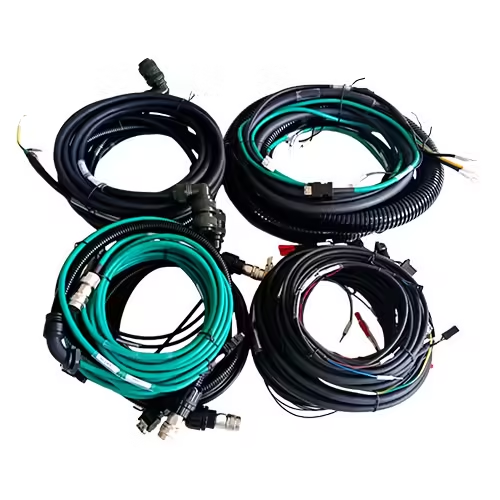
HDMI Bundles for Home Theater and Gaming
HDMI cables are crucial for transmitting high-definition video and audio. Whether you are setting up a home theater or a gaming station, a reliable HDMI kit provides excellent picture quality and immersive sound.
Tips for choosing an HDMI bundle:
- Check the HDMI version (e.g., 2.0, 2.1) for 4K or 8K support
- Ensure cable lengths are suitable for your setup
- Look for shielding to reduce interference
A premium HDMI bundle enhances movie nights and gaming sessions by delivering crisp visuals and clear audio.
USB Kits for Office and Device Charging
USB cable kits offer versatility for charging and data transfer. These kits may include various connector types, such as USB-A, USB-C, and Lightning, making them ideal for multiple devices.
Benefits of a quality USB kit include:
- Faster charging for smartphones, laptops, and tablets
- Compatibility across multiple devices
- Durable construction for frequent use
From office setups to travel essentials, multi-device USB kits simplify connectivity while maintaining reliability.
Audio and Speaker Cables
Audio cable kits connect speakers, headphones, and recording equipment, ensuring clear and uninterrupted sound. Choosing the right audio bundle can improve sound quality by reducing interference and signal loss.
When selecting an audio solution, consider:
- Cable thickness and length
- Shielding to minimize noise
- Connector type for specific audio devices
High-quality speaker and audio cables enhance both casual listening and professional setups.
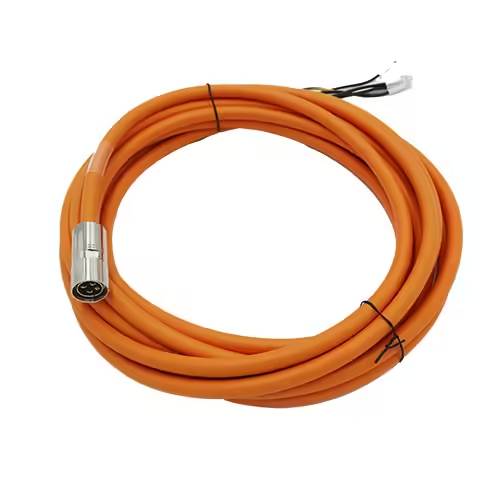
Network and Ethernet Cable Kits
Ethernet bundles are essential for maintaining fast and stable network connections in homes and offices. Available in categories like Cat5e, Cat6, and Cat7, these kits vary in speed and bandwidth.
Key considerations:
- Required speed and network capacity
- Cable length and flexibility
- Shielding to prevent signal interference
For online gaming and high-demand office applications, a reliable network cable kit ensures smooth connectivity.
Custom and Specialty Kits
Many manufacturers offer custom cable bundles tailored to specific setups. Options include:
- Extended lengths for large setups
- Color-coded cables for easier identification
- Multi-port kits for complex systems
Custom cable solutions provide flexibility while maintaining the same high quality as standard kits.
Organizing and Maintaining Your Cables
Proper organization prolongs the life of your cable kits. Simple tips include:
- Using cable ties, labels, or organizers
- Avoiding tight bends or excessive stretching
- Storing cables in protective cases
Well-organized kits improve safety, performance, and overall convenience.
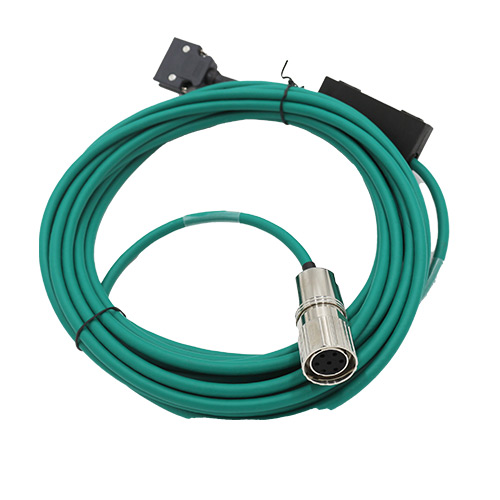
Common Mistakes to Avoid
To maximize performance and durability:
- Don’t over-bend or twist cables
- Avoid cheap or incompatible alternatives
- Follow manufacturer instructions for use
Preventing these common issues ensures your cable bundles last longer and perform consistently.
Comparison of Common Cable Solutions
| Cable Type | Typical Use | Key Feature | Ideal For |
|---|---|---|---|
| HDMI Bundle | Home theater, gaming | High bandwidth, supports 4K/8K | Gamers, movie enthusiasts |
| USB Kit | Device charging, office use | Fast charging, multi-device | Professionals, travelers |
| Audio/Speaker Kit | Audio systems, recording | Shielded, durable connectors | Audiophiles, studios |
| Ethernet Kit | Networking | High speed, interference-resistant | Gamers, office networks |
| Custom Kit | Specialized setups | Flexible lengths, multi-port | Businesses, customized setups |
Conclusion
Understanding the different types of cable kits and their specific uses helps you create efficient, organized, and high-performing setups at home, in the office, or for gaming. As a manufacturer, we ensure every kit meets rigorous standards for durability, reliability, and performance. Choosing the right bundle—whether HDMI, USB, audio, Ethernet, or custom—improves connectivity, device performance, and user experience. Explore our range of premium cable kits today and enjoy the benefits of manufacturer-backed quality.
FAQ – Cable Sets
Q1: What is a cable set and why do I need one?
A: A cable set is a bundle of cables designed for specific devices or setups, such as HDMI, USB, audio, or Ethernet. Using a high-quality cable set ensures reliable connections, better performance, and organized wiring for home, office, or gaming setups.
Q2: How do I choose the right cable set for my devices?
A: Consider the type of devices you are connecting, the length needed, and the performance requirements. For example, HDMI cable sets are ideal for 4K TVs and gaming, while USB kits are perfect for multi-device charging and data transfer.
Q3: Can I buy custom cable sets?
A: Yes, many manufacturers provide custom cable sets tailored to your needs, including extended lengths, color-coded bundles, and multi-port combinations for complex setups.
Q4: How should I maintain and organize my cable sets?
A: Use cable ties, labels, or organizers to keep cables tidy. Avoid bending or stretching them too much, and store them in protective cases to prolong their lifespan and performance.
Q5: What are the common mistakes to avoid with cable sets?
A: Avoid using low-quality or incompatible cables, bending them excessively, or ignoring manufacturer instructions. Selecting high-quality, manufacturer-backed cable sets prevents damage and ensures reliable performance.